Click on the member whose point load is to be edited.
List of Point Loads, with selected member highlighted, becomes visible.
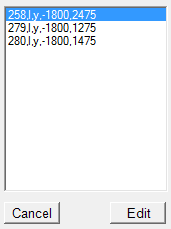
'#' represents member number.
'l' / 'g' represents local / global co-ordinate system.
'x' / 'y' / 'z' represents axis of direction of load.
'w' represents Intensity of Uniformly Distribued Load.
'a' represents distance from origin joint.
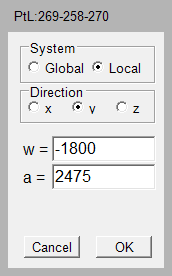
Hold down [ctrl] key and Click on Edit Point Load.
Point Loads will be visible in a rich text box.
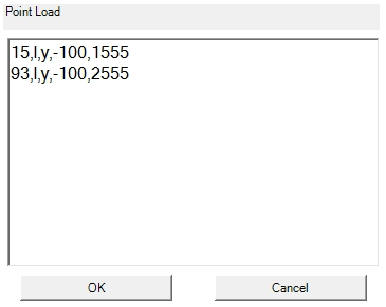
Edit required data very carefully.
The data can be copied to and from any text editor.